> For the complete documentation index, see [llms.txt](https://docs.bogos.io/llms.txt). Markdown versions of documentation pages are available by appending `.md` to page URLs; this page is available as [Markdown](https://docs.bogos.io/cn/detailed-guide/bundle-offer.md).
# 捆绑优惠
关于创建捆绑优惠的概述
了解如何使用 BOGOS 创建强大的捆绑优惠,简化购物体验并提升客单价(AOV)。
### 经典捆绑包
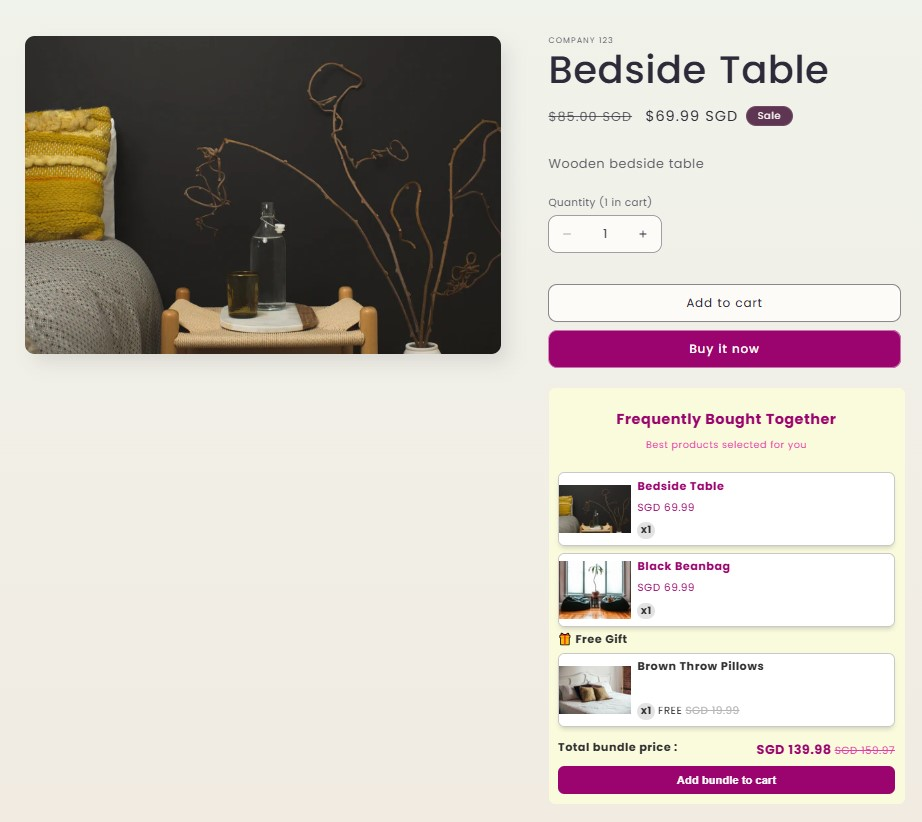
经典捆绑包是由两件或多件商品组成的预设组合,通常以折扣价一起出售,以鼓励顾客购买。
示例:购买 Beside Table 和 Black beanbag 即可获得一份免费赠品。
### 混搭组合
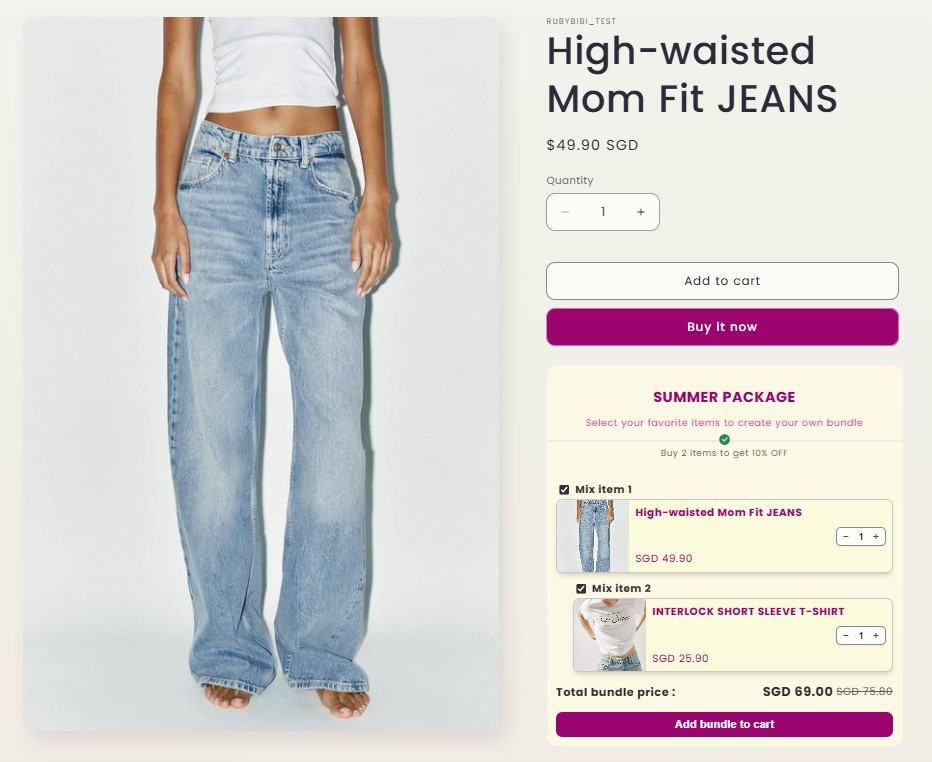
混搭组合允许顾客从预先选定的系列中选择商品组合。与单独购买相比,这些捆绑包通常以更优惠的价格出售。
示例:从 Summer Package 系列中任选 2 件 T 恤和 1 条裤子,即可享受比单独购买便宜 10% 的优惠
### 捆绑包构建器
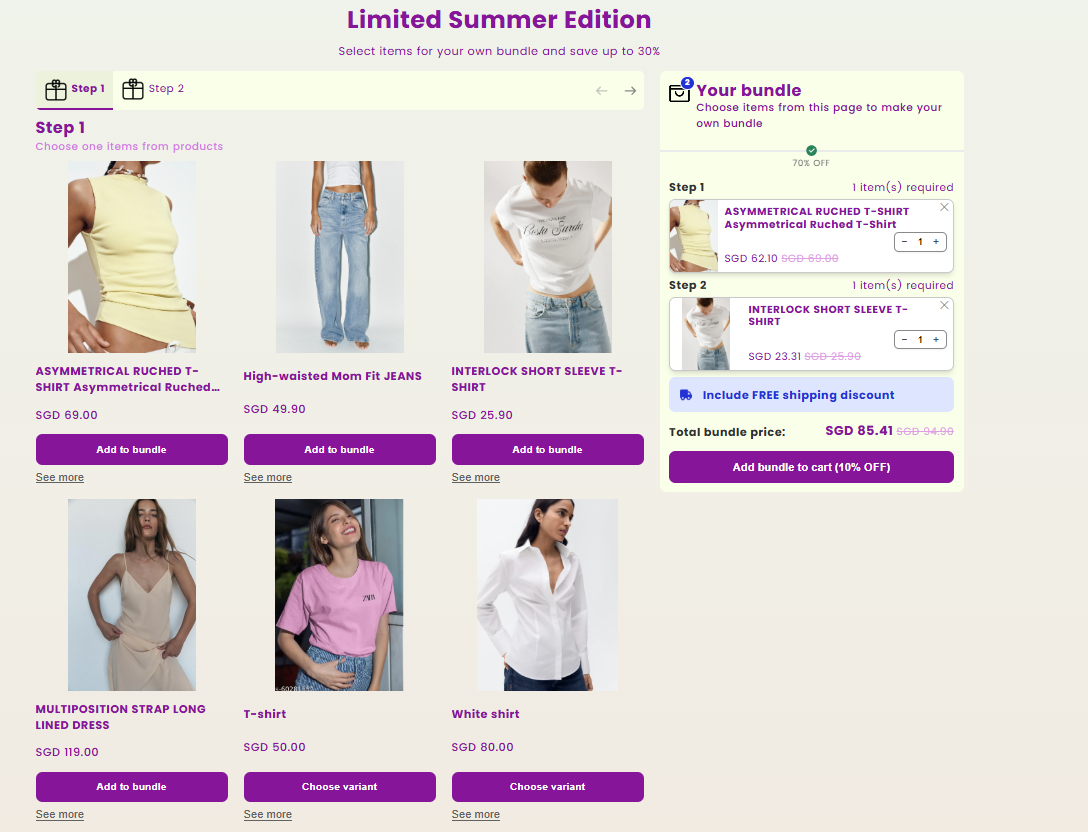
捆绑包构建器是一个专属落地页,展示自定义构建的单个捆绑包或一系列捆绑包,顾客可以从中选择并自定义他们的个性化捆绑包。
示例:从 Limited Summer Edition 中自定义您自己的捆绑包,最高可节省 30%
### 捆绑包页面
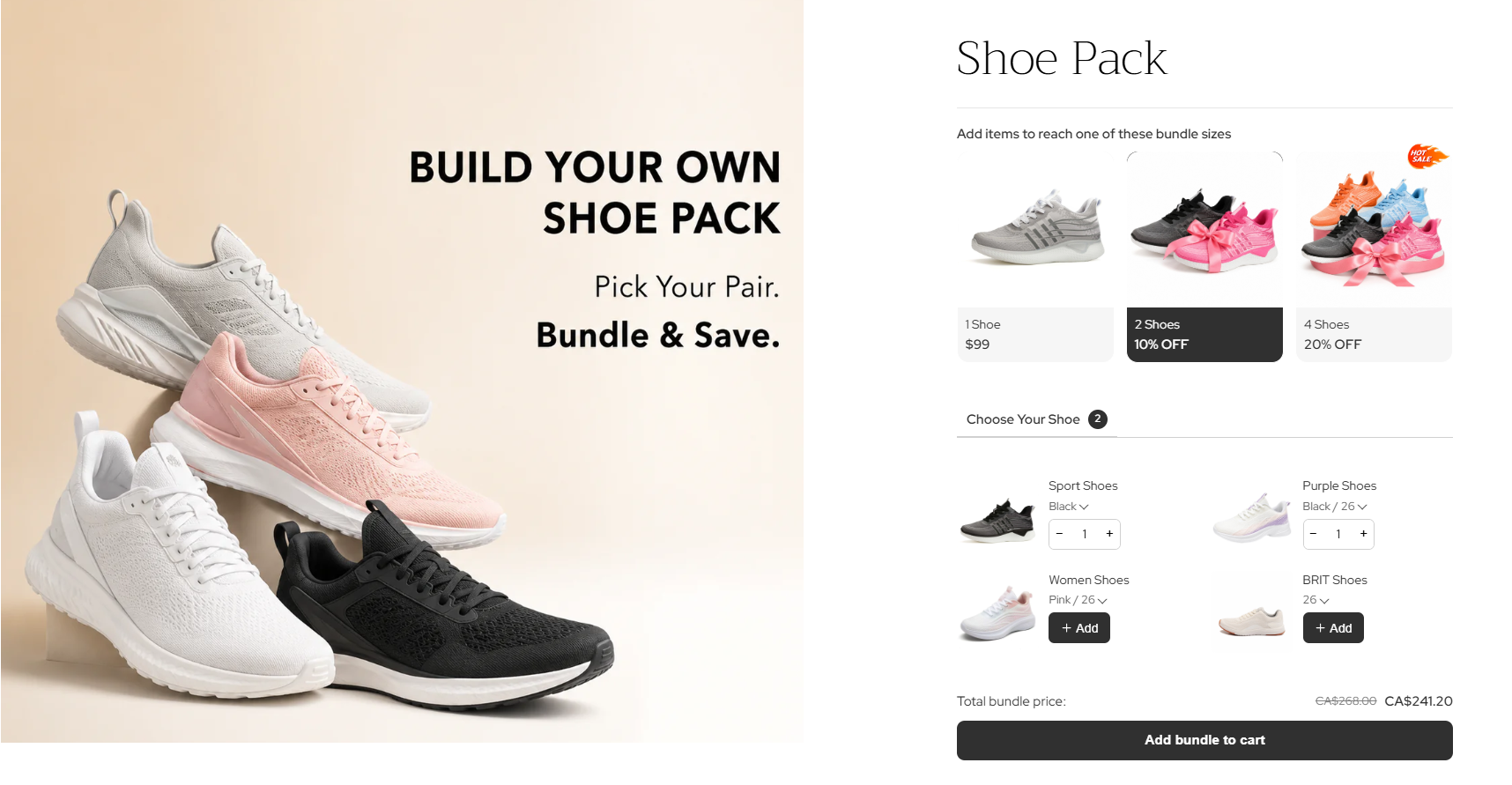
BOGOS 的捆绑包页面让您可以为您的捆绑包**创建专属产品页面**,顾客可以直接在该页面上混搭商品、选择变体并调整数量。
---
# Agent Instructions
This documentation is published with GitBook. GitBook is the documentation platform designed so that both humans and AI agents can read, navigate, and reason over technical content effectively. Learn more at gitbook.com.
## Querying This Documentation
If you need additional information that is not directly available in this page, you can query the documentation by asking a question.
Perform an HTTP GET request on the following URL with the `ask` and `goal` query parameters:
```
GET https://docs.bogos.io/cn/detailed-guide/bundle-offer.md?ask=&goal=
```
`ask` is the immediate question: it should be specific, self-contained, and written in natural language.
`goal` is what the user is ultimately trying to achieve, the reason they need the answer. Sharing it helps GitBook give you a better, more relevant answer. A goal is most helpful when it describes the outcome the user wants rather than restating the question. For example, with `ask=how do I create an API token`, a goal like `automate deployments from our CI pipeline` lets GitBook tailor the answer to that use case.
The response will contain a direct answer to the question and relevant excerpts and sources from the documentation.
Use this mechanism when the answer is not explicitly present in the current page, you need clarification or additional context, or you want to retrieve related documentation sections.